

 Get 0.05 TON 💎
Earlier Versions
| Name | Size | Uploaded | Game Version | Downloads | |
| r52 release | 35.24 KB | Jan 25, 2023 | 10.0.5 +3 | 4,497 |  Download Download |
| r51 release | 35.65 KB | Jan 19, 2023 | 3.4.1 +3 | 2,469 | Download |
| r50 release | 34.08 KB | May 19, 2021 | 1.13.7 +2 | 26,786 | Download |
| r49 release | 33.38 KB | May 19, 2021 | 9.0.5 | 4,557 | Download |
| r48 release | 33.25 KB | Oct 19, 2020 | 9.0.1 | 17,378 | Download |
| r47 release | 33.36 KB | Oct 17, 2020 | 9.0.1 | 3,857 | Download |
| r45 release | 33.34 KB | Aug 26, 2020 | 1.13.5 +1 | 9,212 | Download |
| r44 release | 33.00 KB | Jul 19, 2018 | 8.0.1 | 38,271 | Download |
| r43 release | 33.01 KB | Jul 27, 2017 | 7.2.5 | 25,513 | Download |
| r42 release | 32.35 KB | Mar 29, 2017 | 7.2.0 | 17,935 | Download |
| r41 release | 32.43 KB | Mar 4, 2017 | 7.1.5 | 9,665 | Download |
| r38 release | 31.83 KB | Jan 14, 2017 | 7.1.5 | 13,194 | Download |
| r37 release | 31.85 KB | Dec 30, 2016 | 7.1.0 | 8,962 | Download |
| r36 release | 31.88 KB | Dec 12, 2016 | 7.1.0 | 9,575 | Download |
| r35 release | 33.92 KB | Dec 8, 2016 | 7.1.0 | 6,239 | Download |
| r33 +1 More release | 25.47 KB | Oct 25, 2016 | 7.1.0 | 14,809 | Download |
| r46 alpha | 33.33 KB | Oct 17, 2020 | 9.0.1 | 142 | Download |
Screenshots

Description
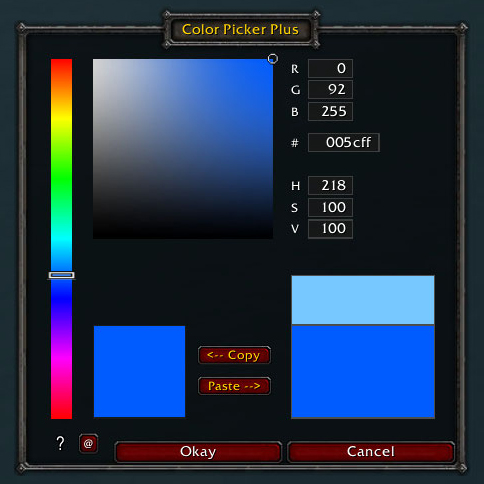
ColorPickerPlus replaces the standard Color Picker to provide
- color specification through a hue bar and gradient box
- text entry for colors (RGB, hex, and HSV)
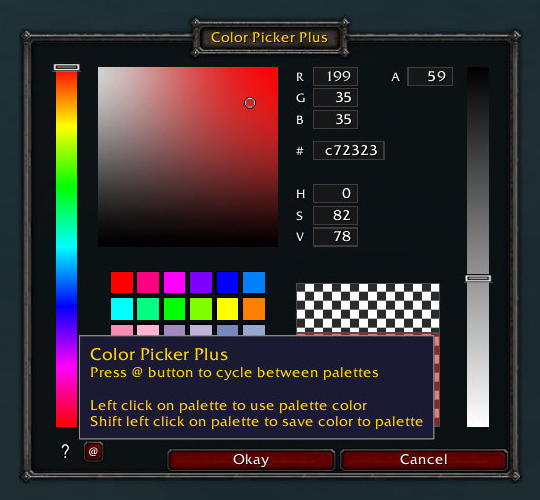
- text entry for the alpha value (transparency/opacity)
- a 36-swatch color palette that can be used for copy/paste
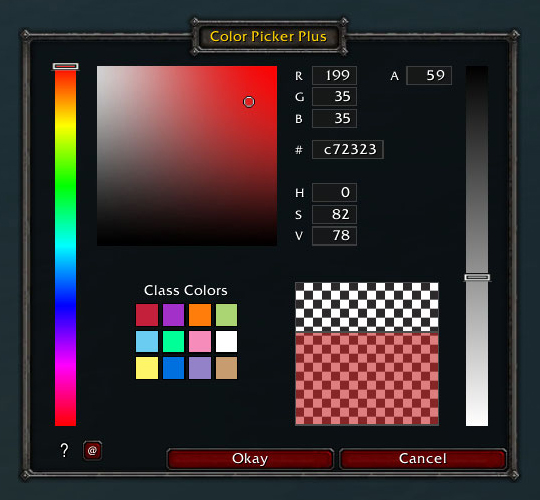
- a class color palette
- a copy/paste independent of palettes
- a movable frame
- a color swatch for the color to be replaced
- a color swatch for the chosen color
With these enhancements, you can precisely describe a color and coordinate colors within and between add-ons.
Left-click on a palette swatch will choose that color.
Shift-left-click on a palette swatch will save the chosen color into the palette.
To switch between the customizable palette and the class color palette, click the button labelled “@”.
Control-left-click on the chosen color will print the decimal RGB values for the color into the chat window. This was added as a utility for add-on developers.
Useful external tools for generating color palettes:
https://color.adobe.com/ and http://tools.medialab.sciences-po.fr/iwanthue/
Add a comment