

 Get 0.05 TON 💎
Earlier Versions
| Name | Size | Uploaded | Game Version | Downloads | |
| FPS Frames Fixed release | 2.82 KB | Aug 23, 2019 | 8.2.0 +1 | 1,288 |  Download Download |
| Bottom Left Corner release | 547 Bytes | Aug 23, 2019 | 8.2.0 | 28 | Download |
| Bottom Right Corner release | 557 Bytes | Aug 23, 2019 | 8.2.0 | 13 | Download |
| Center Above Skillbars release | 654 Bytes | Aug 23, 2019 | 8.2.0 | 10 | Download |
| Top Left Corner release | 519 Bytes | Aug 23, 2019 | 8.2.0 | 8 | Download |
Screenshots


Description
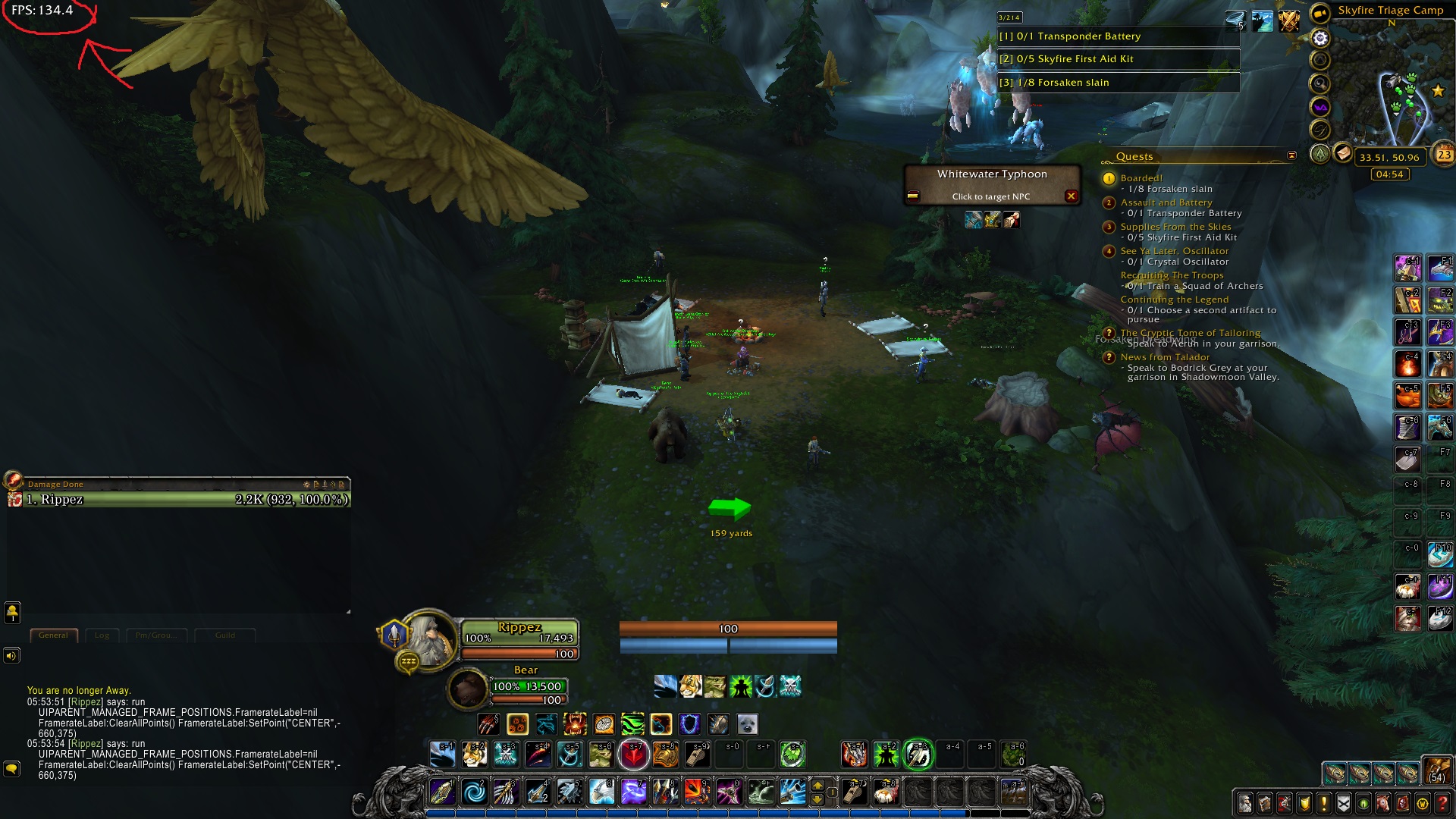
This addon moves your FPS Frame on 4 fixed locations, depending whitch file you choose (Top left, Bottom left, Center and Bottom right). I mostly made this just for me so it fits better with my Weak auras.
Fps Frame can be turned on and off normally with Ctrl+R
IF!!! u dont want to use addon, u can simply use commands in game and it does the same thing. Only downside is that it wont save, and u have to run that command everytime u reload.
Commands:
Top Left : /run UIPARENT_MANAGED_FRAME_POSITIONS.FramerateLabel=nil FramerateLabel:ClearAllPoints() FramerateLabel:SetPoint("CENTER",-660,375)
Bottom Left: /run UIPARENT_MANAGED_FRAME_POSITIONS.FramerateLabel=nil FramerateLabel:ClearAllPoints() FramerateLabel:SetPoint("CENTER",-660,-375)
Center: /run UIPARENT_MANAGED_FRAME_POSITIONS.FramerateLabel=nil FramerateLabel:ClearAllPoints() FramerateLabel:SetPoint("CENTER",-17,-277)
Bottom Right: /run UIPARENT_MANAGED_FRAME_POSITIONS.FramerateLabel=nil FramerateLabel:ClearAllPoints() FramerateLabel:SetPoint("BOTTOMRIGHT",-32,2)
Add a comment