


 Get 0.05 TON 💎
Earlier Versions
| Name | Size | Uploaded | Game Version | Downloads | |
| V1.8.1 +1 More release | 75.67 KB | Sep 2, 2021 | 2.5.2 | 0 |  Download Download |
| V1.1.8.0-TBC +1 More release | 75.67 KB | May 19, 2021 | 2.5.1 | 138 | Download |
| Klappa-classic +1 More release | 75.61 KB | May 19, 2021 | 1.13.7 | 38 | Download |
| V1.1.7.1 +1 More release | 75.64 KB | May 14, 2021 | 1.13.7 | 44 | Download |
| V1.1.7.0 +1 More release | 75.62 KB | May 13, 2021 | 1.13.7 | 18 | Download |
| V1.1.6.1 +1 More release | 75.45 KB | Dec 16, 2020 | 1.13.6 | 98 | Download |
| V1.1.5 release | 23.15 KB | May 21, 2020 | 1.13.4 | 155 | Download |
| V1.1.4 release | 23.27 KB | Mar 11, 2020 | 1.13.4 | 142 | Download |
| V1.1.3 release | 23.41 KB | Feb 29, 2020 | 1.13.3 | 119 | Download |
| Klappa-1.1.1-classic.zip release | 23.66 KB | Feb 29, 2020 | 1.13.3 | 82 | Download |
| Klappa-1.1.0-classic.zip release | 23.34 KB | Feb 23, 2020 | 1.13.3 | 80 | Download |
| Klappa-1.0.1-classic.zip release | 22.81 KB | Jan 15, 2020 | 1.13.3 | 76 | Download |
| Klappa-1.0.0-classic release | 22.67 KB | Sep 29, 2019 | 1.13.2 | 106 | Download |
Screenshots
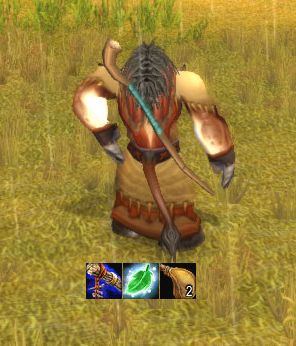
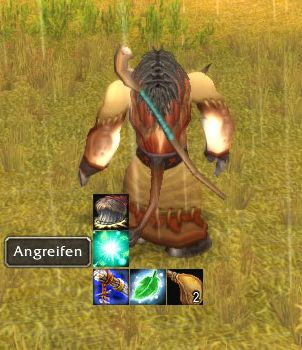
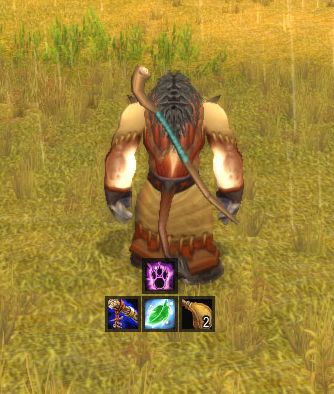
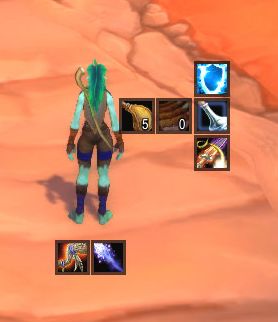
Description
Klappbar
With Klappbar (classic version of Klappa) you can setup several button bars with more hiddden buttons, which will popup on mouseover. Similar to a menubar where the subentry will be visible if your mouse is over it.
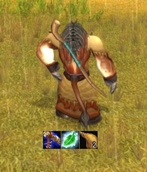
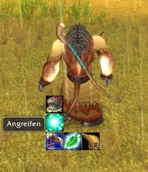
How to set up Klappbar?
If you start Klappbar the first time, you will see just one button in the center of the screen. This is your first bar with your first button.
Every bar of Klappbar consists of one or more main buttons which are always visible. You can extend every main button with as many popup buttons as you want.
To open the option menu just write “/kl” or use the Klappbar menu inside the Blizzard interface menu.
Here you add more bars, add mainbuttons (the visible buttons) to the bars and the hided popup buttons.
The buttons support everything you can you can put on the default action bar.
How to setup the buttons?
Klappbar ist using the WoW action buttons, which are limited to120. Every button on you default action bar has an id. Klappbar ist using that id to assign an action to the buttons.
In the Klappbar options menu you can toggle a window to see that ids and which action is assigned to it. You can setup for every button in Klappbar which action it should perfom, just change the id of that button.
If two buttons have the same id, they will to the same action if you click them. With Klappbar you are free to assign to your buttons every id you want.
If you assign to a button an id which has no action the button is empty. You can now simply drag and drop an action/item/macro/spell on that button, as you would to with the default action bar.
Dependency
You need Ace3 added to you Addon directory:
https://www.curseforge.com/wow/addons/ace3
Klappbar is supporting Masque, you just need to have it installed and activated.
LibClassicSpellActionCount-1.0 is supported, you have to install it.
( In the “LibClassicSpellActionCount-1.0” package is a library missing. if you get an error, copy the LibStub folder from Klappa\Libs to the “LibClassicSpellActionCount-1.0″ folder”)
Add a comment