


 Get 0.05 TON 💎
Earlier Versions
| Name | Size | Uploaded | Game Version | Downloads | |
| v1.6 release | 156.09 KB | Nov 20, 2022 | 10.0.2 | 63 |  Download Download |
| v1.5 release | 155.77 KB | Sep 12, 2022 | 9.2.5 | 47 | Download |
| v1.4 release | 153.10 KB | Aug 23, 2022 | 9.2.5 | 72 | Download |
| v1.3 release | 152.90 KB | Aug 9, 2022 | 9.2.5 | 80 | Download |
| Beta-v1.2 release | 152.58 KB | May 24, 2022 | 9.2.0 | 138 | Download |
| Betav1.1 release | 152.58 KB | May 22, 2022 | 9.2.0 | 117 | Download |
| Beta-v1 beta | 152.56 KB | May 17, 2022 | 9.2.0 | 146 | Download |
| 9.2Alpha alpha | 151.71 KB | May 16, 2022 | 1.14.3 | 82 | Download |
| 1.0-alpha alpha | 151.85 KB | May 15, 2022 | 1.14.3 | 73 | Download |
| TeamfightCounter.zip alpha | 2.43 KB | Apr 1, 2022 | 9.2.0 | 113 | Download |
Screenshots
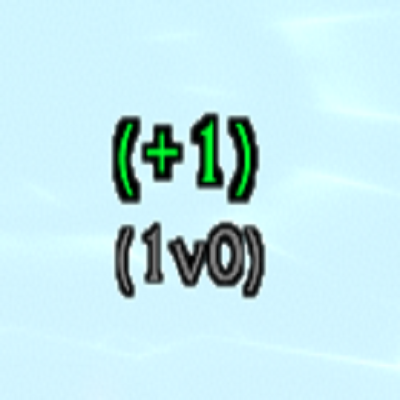
Description
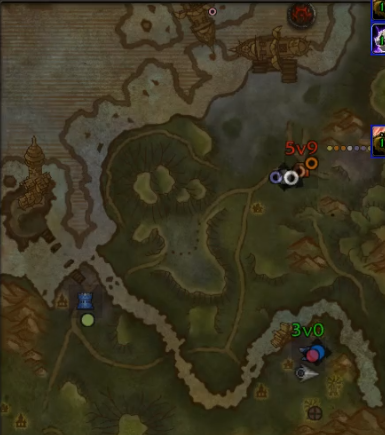
Counts ally and enemy players in team fights. You do not have to be in the fight yourself, but at least 1 ally with this addon must be. Blizzard was very diligent about not allowing addons to know the exact position of enemy players, therefore someone with this addon must be able to see enemies nearby for it to count. This also means enemy nameplates must be enabled to work. Ally nameplates are not required.
If using REPorter addon, counters will appear directly on the battleground map. They appear either at the base being contested, or at the top if no base is detected. An independent floating frame can be toggled in settings.
Type /tfc to access settings.



Add a comment