

 Get 0.05 TON 💎
Earlier Versions
| Name | Size | Uploaded | Game Version | Downloads | |
| Tetra.zip release | 358.62 KB | Mar 3, 2020 | 8.3.0 +1 | 412 |  Download Download |
| Tetra v.1.3 release | 358.61 KB | Oct 6, 2018 | 8.0.1 | 1,675 | Download |
| Tetra v.1.2 release | 357.95 KB | Nov 18, 2014 | 6.0.3 | 9,680 | Download |
| Tetra v.1.11 release | 357.94 KB | Nov 5, 2010 | 4.0.1 | 18,943 | Download |
| Tetra v.1.10 release | 357.94 KB | Aug 19, 2009 | 3.2.0 | 17,298 | Download |
| Tetra V1.04 release | 357.37 KB | Jul 18, 2009 | 3.1.0 | 3,294 | Download |
| Tetra V1.03 release | 357.32 KB | Jul 3, 2009 | 3.1.0 | 1,361 | Download |
| Tetra V1.02.1 release | 357.14 KB | Jun 28, 2009 | 3.1.0 | 660 | Download |
| Tetra V1.02 release | 354.15 KB | Jun 28, 2009 | 3.1.0 | 280 | Download |
| Tetra V1.01 release | 356.40 KB | Jun 26, 2009 | 3.1.0 | 296 | Download |
| Tetra V1.0 release | 364.58 KB | Jun 25, 2009 | 3.1.0 | 116 | Download |
Screenshots
Description
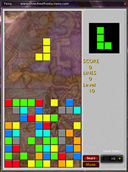
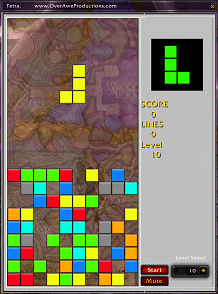
Tetra is a puzzle game using tetrominoes. A tetromino is a grouping of four blocks, of which there are only 7 distinct combinations. These tetrominos are thrown into the top of a 10×20 grid one at a time and fall to the bottom of the play area. The purpose of the game is to line up 10 in a row, which makes the row disappear. You get more points per row if you eliminate multiple rows at a time. You also get points for landing a tetromino. For every 10 lines you clear you go to the next level where the tetrominoes fall faster and are worth more points. Try to get as many lines and the highest score that you can.
Modes
- Classic – blocks fall down as normal
- – UP – blocks fall up
- Twist – Each line clear causes your view of the play area to be mirrored horizontally
Controls
- UP – rotates the tetromino currently in play
- DOWN – moves the piece down
- LEFT – moves the piece left
- RIGHT – moves the piece right
- A, 0 – Hard drop the piece. Automatically drop the piece down as far as it will go
- ` and . – Switches the current "next block" with the "saved block".
- ESC, R, W, /, ENTER, SPACE – pause the game and hide it
Note: Holding down a key will continue to move the tetronimo in that direction
Note: The keyboard cannot be used to play wow while the game is visible
To show the game type /tetra
or click on the mini map icon
Add a comment