

 Get 0.05 TON 💎
Earlier Versions
| Name | Size | Uploaded | Game Version | Downloads | |
| 1.0.10 release | 196.09 KB | Jan 24, 2023 | 10.0.5 | 564 |  Download Download |
| 1.0.9 release | 196.09 KB | Nov 29, 2022 | 10.0.2 | 856 | Download |
| 1.0.8 release | 200.09 KB | Nov 15, 2022 | 10.0.2 | 191 | Download |
| 1.0.7 release | 200.09 KB | Oct 26, 2022 | 10.0.0 | 262 | Download |
| 1.0.6 release | 200.17 KB | Oct 26, 2022 | 9.2.7 | 115 | Download |
| 1.0.5 release | 199.94 KB | Aug 16, 2022 | 9.2.7 | 182 | Download |
| 1.0.4 release | 199.89 KB | Jun 9, 2022 | 9.2.5 | 232 | Download |
| 1.0.3 release | 203.15 KB | Jun 8, 2022 | 9.2.5 | 66 | Download |
| 1.0.2 release | 203.17 KB | May 19, 2022 | 9.2.0 | 143 | Download |
| 1.0.1 release | 203.23 KB | May 17, 2022 | 9.2.0 | 86 | Download |
Screenshots
Description
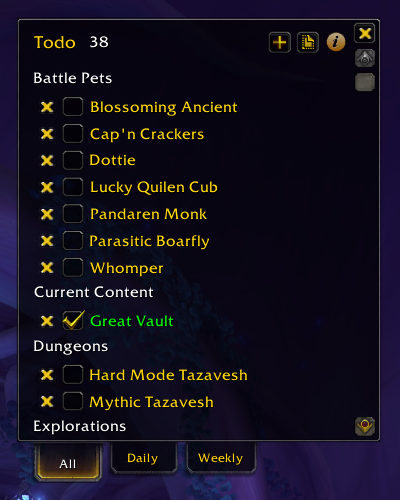
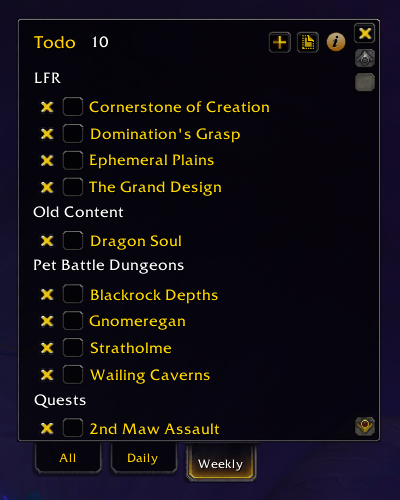
Track your daily, weekly, and long-term goals using categories and profiles. Tasks created in Daily tab automatically reset each day at 8:00am (configurable in options) and tasks created in the Weekly tab reset each Tuesday (configurable in options).

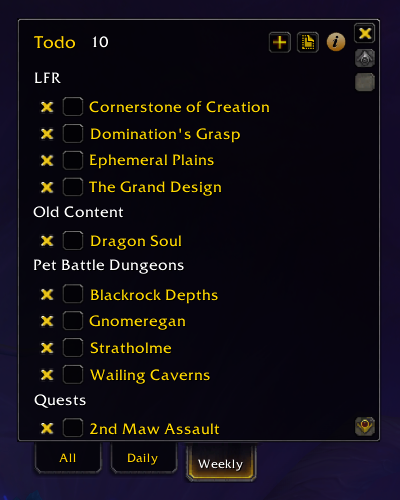
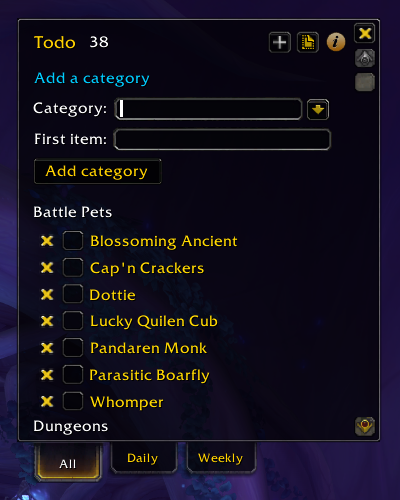
Usage
- Install the Todo add-on using AddonsWoW, WowUp, or any other add-on manager.
- Open the Todo window using the minimap button or the [code]/todo[/code] command.
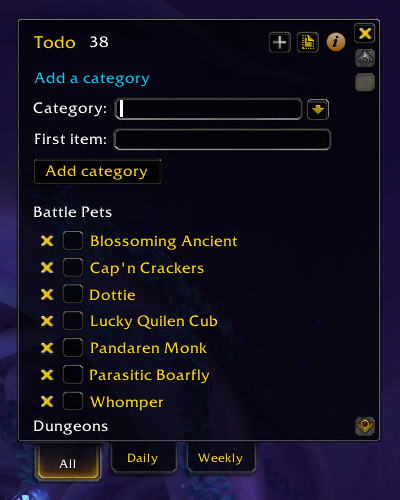
- Follow the on-screen tutorial to create a new category and todo item
- Open the add-on options to set a custom key binding and fine-tune your settings
Credit
Forked from Ny’s To-Do List add-on and adapted by Peter Wooley



Add a comment