


 Get 0.05 TON 💎
Earlier Versions
| Name | Size | Uploaded | Game Version | Downloads | |
| 1.1.11 release | 5.83 KB | Feb 12, 2023 | 10.0.5 +1 | 51,673 |  Download Download |
| 1.1.10 release | 5.74 KB | Jan 26, 2023 | 10.0.5 +1 | 57,478 | Download |
| 1.1.9 release | 5.73 KB | Jan 23, 2023 | 3.4.1 +1 | 43,136 | Download |
| 1.1.8 release | 5.55 KB | Jan 18, 2023 | 3.4.1 +1 | 43,577 | Download |
| 1.1.7 release | 5.04 KB | Jan 17, 2023 | 10.0.2 | 21,367 | Download |
| 1.1.6 release | 4.80 KB | Dec 18, 2022 | 10.0.2 | 61,411 | Download |
| 1.1.5 release | 4.75 KB | Dec 13, 2022 | 10.0.2 | 33,543 | Download |
| 1.1.4 release | 4.59 KB | Dec 12, 2022 | 10.0.2 | 11,875 | Download |
| 1.1.3 release | 3.49 KB | Dec 10, 2022 | 10.0.2 | 22,350 | Download |
| 1.1.2 release | 2.83 KB | Nov 26, 2022 | 10.0.2 | 29,333 | Download |
Screenshots


Description

Open AddOn Settings with /bf or /betterfishing or go to Options > AddOns > Better Fishing, you can enable Enhanced Sound or Double Click to cast there.
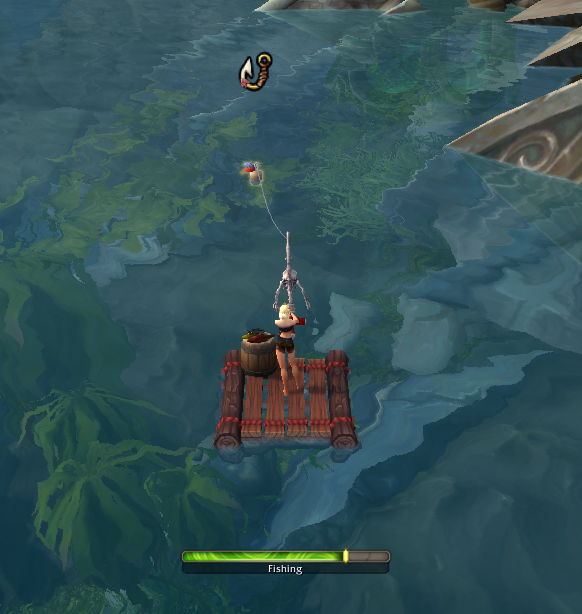
Better Fishing allows you to Fish and Hook with a single keybind. It uses Dragonflights and Wrath (since 3.4.1) new Soft Targeting accessibilty feature which lets you target NPCs and Objects (the fishing bobber is an object) with camera only and use the Interact key to interact with the target. This addon combines the features onto a single key. Double Click (with Right Click) to cast is also supported but has to be enabled via options (/bf or /betterfishing).
Note for Wrath users: The range of soft targeting is currently fixed and too low for fishing range, so a bobber cast too far away can not be hooked via keybind and you will have to use your mouse.
Go to Settings > Keybindings > Better Fishing> Cast and Interact to set keybinds
How to Fish after binding the key:
- Press the key to start fishing
- Wait for the fishing sound
- Press the key to interact with the bobber
- Repeat
Combine it with my other addon Speedy Autoloot for a seemless fishing experience https://www.curseforge.com/wow/addons/speedyautoloot
Did you know? You can use Controller Bindings to fish too!
/console GamePadEnable 1 to enable gamepad mode
/console GamePadEnable 0 to disable gamepad mode again
In the keybinding UI you can then bind your controller key, and use that to fish with, sit back and relax
Use the fantastic ConsolePort addon if you want a controller optimized UI




Add a comment