


 Get 0.05 TON 💎
Earlier Versions
| Name | Size | Uploaded | Game Version | Downloads | |
| RiizUI - Jax ClassicFrames V1.0.3 release | 74.15 MB | Jan 11, 2023 | 10.0.2 | 1,099 |  Download Download |
| RiizUI - Jax ClassicFrames V1.0.2 release | 74.69 MB | Jan 6, 2023 | 10.0.2 | 192 | Download |
| RiizUI - Jax ClassicFrames V1.0.1 release | 71.09 MB | Dec 29, 2022 | 10.0.2 | 346 | Download |
| RiizUI - Jax ClassicFrames V1.0 release | 71.06 MB | Dec 28, 2022 | 10.0.2 | 94 | Download |
| RiizUI V1.15f WOTLK hotfix release | 15.46 MB | Dec 18, 2022 | 3.4.0 | 1,867 | Download |
| RiizUI V1.15e WOTLK release | 15.46 MB | Nov 8, 2022 | 3.4.0 | 1,831 | Download |
| RiizUI V1.15d WOTLK release | 15.45 MB | Nov 2, 2022 | 3.4.0 | 751 | Download |
| RiizUI V1.15c HOTFIX WOTLK release | 15.45 MB | Nov 1, 2022 | 3.4.0 | 333 | Download |
| RiizUI V1.15c WOTLK release | 15.45 MB | Oct 31, 2022 | 3.4.0 | 355 | Download |
| RiizUI V1.15b WOTLK HOTFIX release | 15.45 MB | Oct 28, 2022 | 3.4.0 | 536 | Download |
| RiizUI V1.15b WOTLK release | 15.45 MB | Oct 27, 2022 | 3.4.0 | 324 | Download |
| RiizUI V1.15a WOTLK release | 15.44 MB | Oct 25, 2022 | 3.4.0 | 571 | Download |
| Riizui V1.14i WOTLK release | 15.37 MB | Oct 20, 2022 | 3.4.0 | 846 | Download |
| RiizUI V1.14h WOTLK release | 15.37 MB | Oct 6, 2022 | 3.4.0 | 1,637 | Download |
| RiizUI V1.14g WOTLK release | 15.30 MB | Sep 25, 2022 | 3.4.0 | 1,217 | Download |
| RiizUI V1.14f WOTLK release | 15.29 MB | Sep 14, 2022 | 3.4.0 | 1,155 | Download |
| RiizUI V1.14e WOTLK release | 15.25 MB | Sep 10, 2022 | 3.4.0 | 720 | Download |
| RiizUI V1.14d WOTLK release | 15.02 MB | Sep 5, 2022 | 3.4.0 | 643 | Download |
| RiizUI V1.14c WOTLK release | 14.90 MB | Sep 4, 2022 | 3.4.0 | 338 | Download |
| RiizUI V1.14b WOTLK release | 14.90 MB | Sep 4, 2022 | 3.4.0 | 341 | Download |
| RiizUI V1.14a WOTLK release | 14.86 MB | Sep 2, 2022 | 3.4.0 | 606 | Download |
| RiizUI V1.13f WOTLK release | 14.84 MB | Aug 28, 2022 | 3.4.0 | 455 | Download |
| RiizUI V1.13e WOTLK release | 14.79 MB | Aug 26, 2022 | 3.4.0 | 126 | Download |
| RiizUI V1.13e release | 13.72 MB | Aug 18, 2022 | 2.5.4 | 591 | Download |
| RiizUI V1.13d release | 13.63 MB | Aug 13, 2022 | 2.5.4 | 210 | Download |
| RiizUI V1.13c release | 13.64 MB | Aug 13, 2022 | 2.5.4 | 102 | Download |
| RiizUI V1.13a release | 13.43 MB | Aug 13, 2022 | 2.5.4 | 76 | Download |
| RiizUI V1.13 release | 13.43 MB | Aug 12, 2022 | 2.5.4 | 119 | Download |
| RiizUI V1.11c release | 13.18 MB | Jul 30, 2022 | 2.5.4 | 466 | Download |
| RiizUI_V1.11b release | 13.18 MB | Jul 29, 2022 | 2.5.4 | 122 | Download |
| RiizUI V1.11a release | 13.18 MB | Jul 29, 2022 | 2.5.4 | 62 | Download |
| RiizUI V1.1c release | 13.17 MB | Jul 29, 2022 | 2.5.4 | 73 | Download |
| RiizUI V1.1b release | 13.17 MB | Jul 29, 2022 | 2.5.4 | 111 | Download |
| RiizUI V1.1a release | 13.16 MB | Jul 28, 2022 | 2.5.4 | 100 | Download |
| RiizUI V1.09 release | 12.77 MB | Jul 27, 2022 | 2.5.4 | 134 | Download |
| RiizUI V1.08 release | 12.66 MB | Jul 26, 2022 | 2.5.4 | 129 | Download |
| RiizUI V1.07 release | 12.66 MB | Jul 26, 2022 | 2.5.4 | 61 | Download |
| RiizUI V1.06 release | 12.66 MB | Jul 26, 2022 | 2.5.4 | 91 | Download |
| RiizUI V.1.05 release | 12.47 MB | Jul 25, 2022 | 2.5.4 | 137 | Download |
| RiizUI V1.04 release | 11.14 MB | Jul 25, 2022 | 2.5.4 | 120 | Download |
| RiizUI V1.03 release | 9.37 MB | Jul 24, 2022 | 2.5.4 | 122 | Download |
| RiizUI V1.02 release | 326.77 KB | Jul 24, 2022 | 2.5.4 | 156 | Download |
| RiizUI V1.01 release | 197.75 KB | Jul 24, 2022 | 2.5.4 | 124 | Download |
| RiizUI - Jax ClassicFrames V1.0.5BETA beta | 73.49 MB | Feb 19, 2023 | 10.0.7 | 33 | Download |
| RiizUI - Jax ClassicFrames V1.0.4BETA beta | 74.15 MB | Feb 19, 2023 | 10.0.7 | 2 | Download |
| RiizUI V1.15i BETA beta | 15.48 MB | Jan 30, 2023 | 3.4.1 | 65 | Download |
| RIIZUI V1.15h WOTLK hotfix beta | 15.46 MB | Jan 19, 2023 | 3.4.1 | 59 | Download |
| RiizUI V1.15g WOTLK beta | 15.46 MB | Jan 17, 2023 | 3.4.1 | 58 | Download |
| RiizUI V1.13d WOTLK beta | 14.34 MB | Aug 15, 2022 | 3.4.0 | 128 | Download |
| RiizUI V.1.12a BETA beta | 13.25 MB | Jul 31, 2022 | 2.5.4 | 93 | Download |
| RiizUI V1.1bWOTLK beta | 13.53 MB | Jul 29, 2022 | 3.4.0 | 64 | Download |
| RiizUI V1.0 beta | 196.39 KB | Jul 24, 2022 | 2.5.4 | 174 | Download |
Screenshots
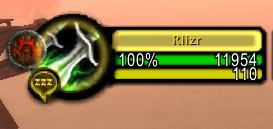
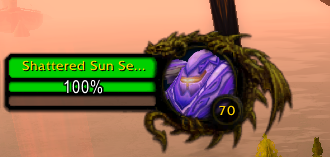
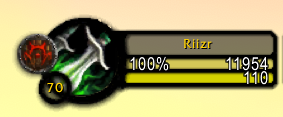
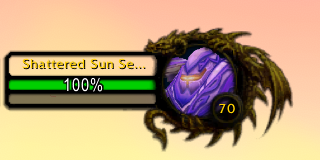
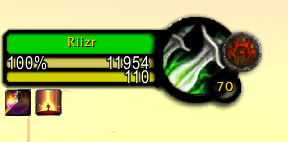
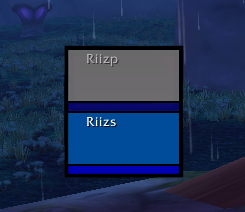
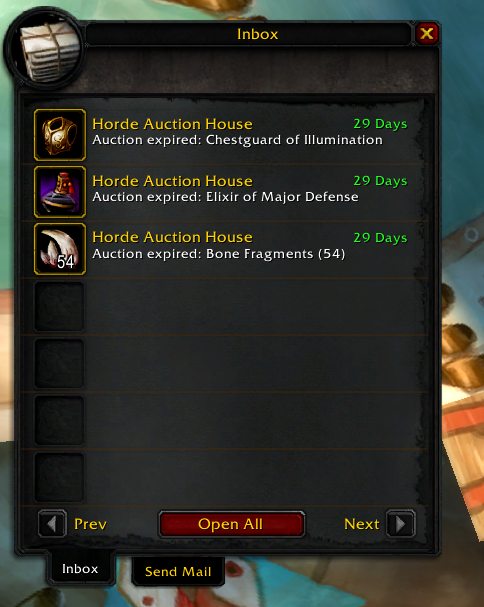
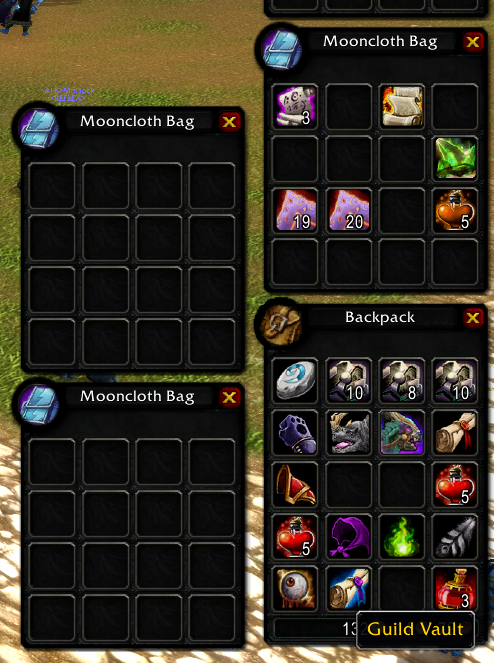
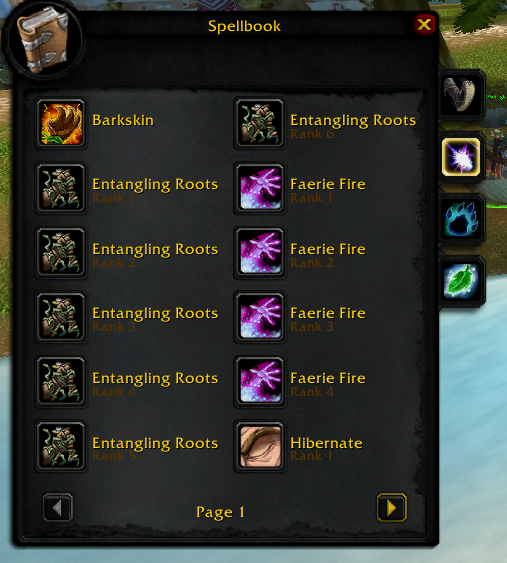
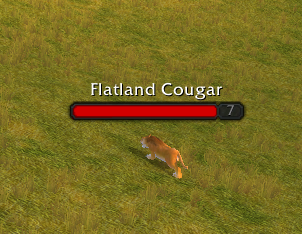
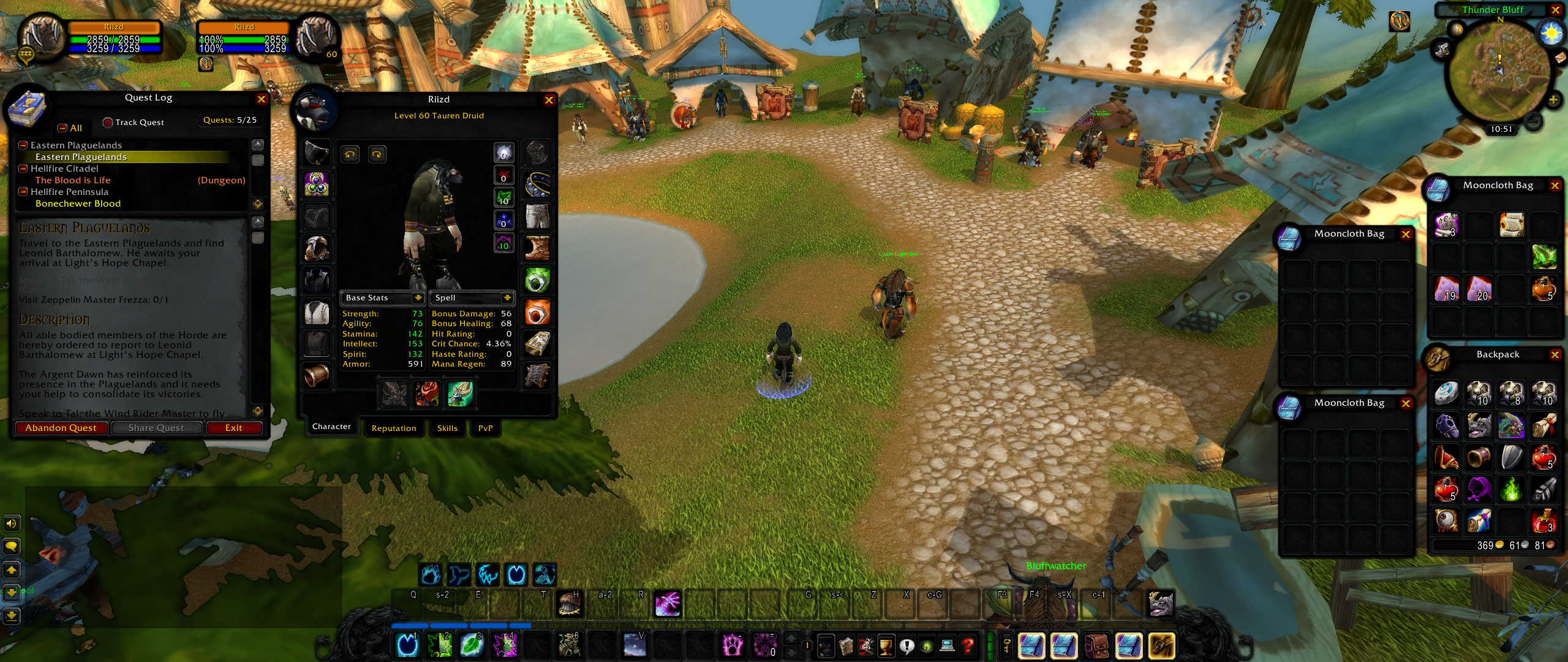
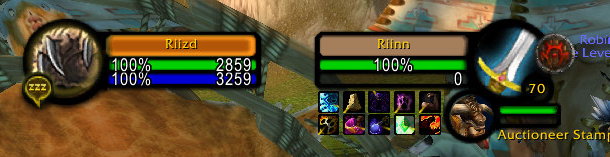
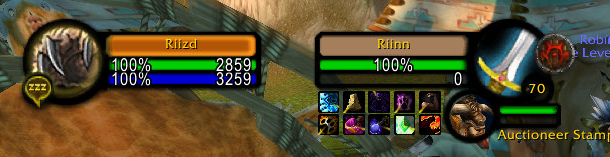
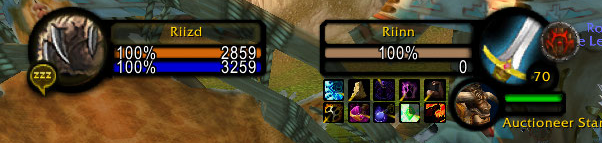
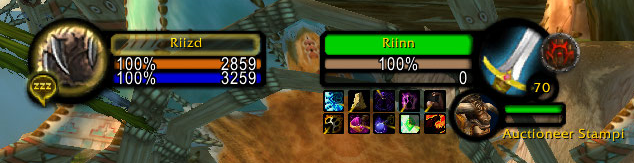
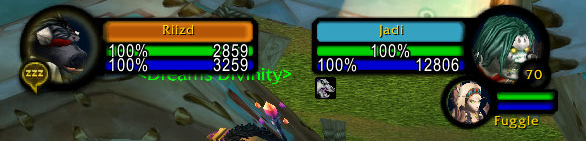




Description
Texture replacements for Blizzard unitframes

ALL THE INFORMATION ON THIS PAGE IS FOR WOTLK CLASSIC. Retail version information can be found on readme.txt inside the addon or in RiizUI discord.
RiizUI includes:
- Darkened textures for default blizzard frames.
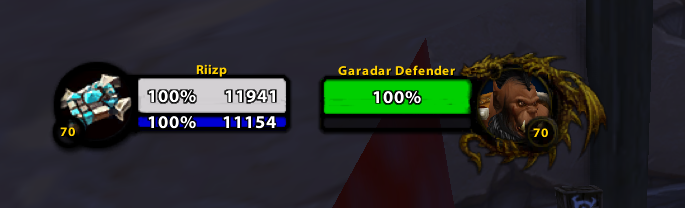
- Adjustable options to the Player and Target frames (see pictures).
- Optional Thick frames for Player and Target frames (bigger health bar than mana, no name bar)
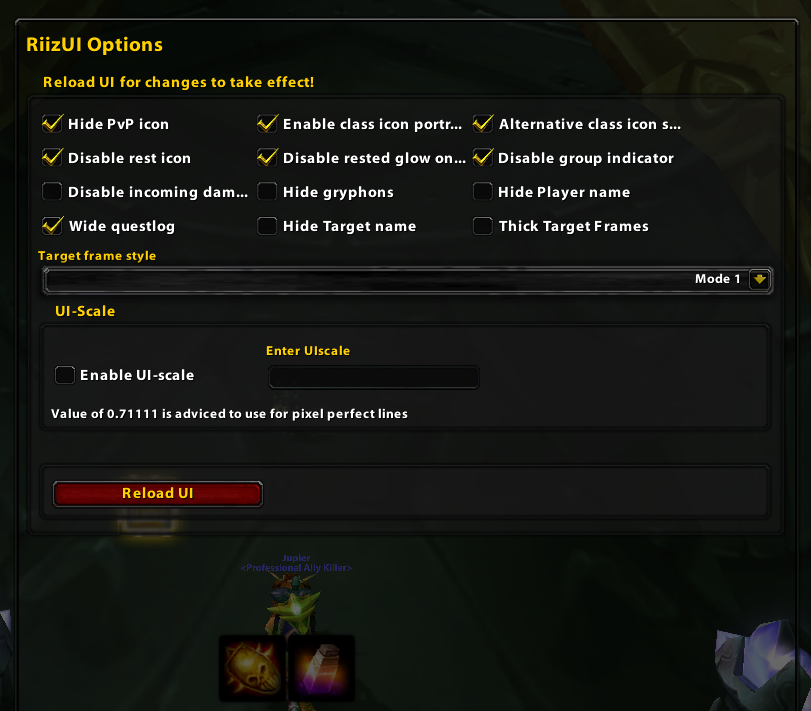
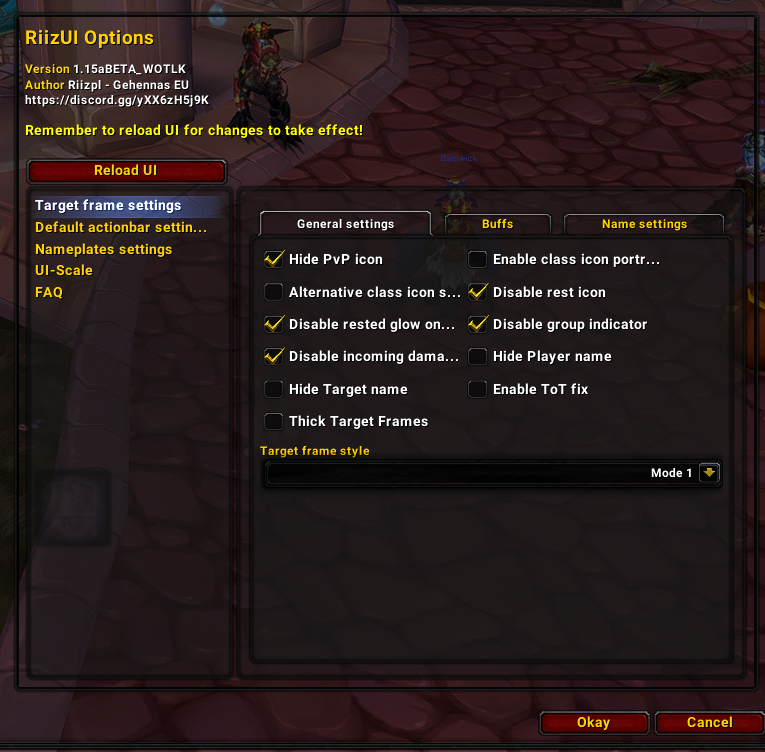
- Ingame interface menu with multiple options (highlights, PvP icon, rest icon).
- Option to use masque for Blizzard default actionbars
- Two different dark themes for masque.
Installation:
With Curse client:
1. After installing RiizUI curse client creates folder called “TEXTURES” inside your addon folder. Move all folders inside the “TEXTURES” to your interface folder. These folders contains the custom textures and are not within the addon folder, default path C:\Program Files (x86)\World of Warcraft\_classic_\Interface
2. Check that you have folder called “RiizUI” inside addon folder, path: C:\Program Files (x86)\World of Warcraft_classic\Interface\Addons.
3. You are done with the installation.
Manually:
1. Download RiizUI from curse website and extract it to folder that you can find.
2. Go inside the extracted folder “TEXTURES” and copy everything inside it.
3. Locate your WoW Interface folder ( NOT ADDONS!). Default path: C:\Program Files (x86)\World of Warcraft\_classic_\Interface
4. Paste the copied files inside interface folder.
5. In the extracted folder from step 1 is also folder called RiizUI. Copy this and paste it inside your addons folder. Default path: C:\Program Files (x86)\World of Warcraft_classic\Interface\Addons
6. You are done with the install.
Note that if you only install for the textures, you do not need to install RiizUI folder into your addon folder
- If you use Raid style party frames you have to enable border to get the dark look.
More detailed manual installation guide is here on Google docs
Updating addon with curse client
After you update the addon with curse client you have to manually move the new textures from your addons folder (C:\Program Files (x86)\World of Warcraft_classic\Interface\Addons) to the interface folder (C:\Program Files (x86)\World of Warcraft\_classic_\Interface). Otherwise the changed textures are not updated.
Interface Menu ingame
Ingame options can be changed by typing: /riizui or /riiz.
Multiple options how you want to customize your UI!

Currently there are 3 different modes for unitframes.

Mode1: Class colored player/target/focus frame.

Mode2: Transparent background class colored health bar
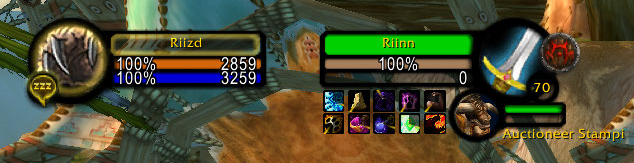
Mode3: Only class colored health bar. Background changes based on unit status (friendly/hostile/afk)
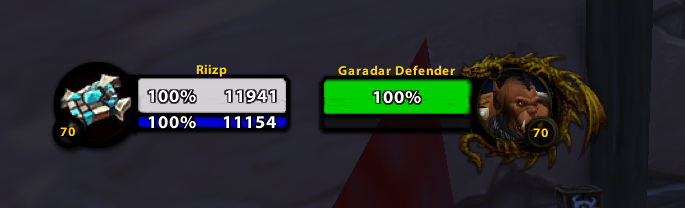
Thick frames enabled
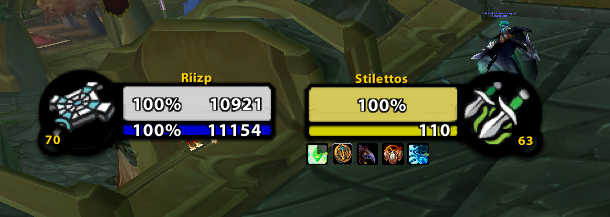
Alternative style for class icon portraits

Class icon portraits disabled
FAQ:
I want to only use the textures, no addons. Is this possible?
Yes, incase you installed the addon called “RiizUI – remove this from your addon folder.
Are you going to keep updating the addon for WOTLK?
Yes, most likely as I will be playing WOTLK classic aswell. Textures should work regardless since they do not rely on addon to work. When WOTLK prepatch is released you need to download and replace some textures. This only needs to be done once and after that they are “maintenance free”.
My raid frame borders are “choppy” / look funny?
Should only happen if you have UI-scale enabled in game options. This is caused by blizzard UI-scale being broken since they introduced DirectX 12 to WoW. When UI-scale is active WoW Classics UI is not “pixel perfect” unless UI-scale value is set according the following formula. UI scale value = 768 / your resolutions vertical pixel amount. For example if you play with 1920×1080 resolution your UI scale should be 768 / 1080 = 0.711111 . To fix this you can adjust UI-scale in RiizUI options or changing in game setting Graphics API from DirectX 12 —> DirectX11. Later might cause performance issues so adjusting UI-scale value should be preferred!
Does this work in Retail or Classic era?
I do not know. Personally I only play TBC classic (and WOTLK classic in future) so It is not tested. Most likely the textures will work fine atleast in classic era.
I do not like the class icons on player / target portraits. How to delete them?
You can disable them from addon settings. Open settings by typing “/riizui”
Work in progress:
- Recolouring rest of the blizzard default textures for clean dark interface.
For questions, feedback or bug reports post a comment here or join Discord
Credits:
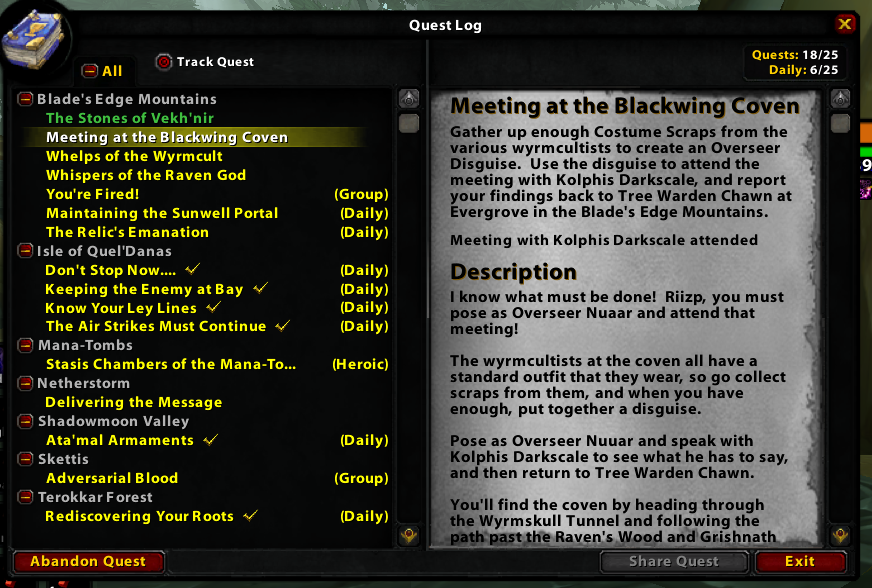
Addon authors whos work I have edited and adjusted: CloneVince for the original Wide questlog, Evolve (Evolve UI) for the alternative class icons, Heomel for class colored unitframes, Lorti for the original dark UI.
People who have helped by testing and providing feedback for the UI: BAUSZ, Minpojke
For translations: 魔兽特工 for the chinese localization.
For Retail: Jax for making Classic Frames. I made minor changes to his addon but all the credit should go to him.
If you want to support me






Add a comment